

Introduction
Searching for the yuva sathi form pdf remains one of the most common queries about the Banglar Yuva Sathi scheme — even though the registration window closed on 26 February 2026 and no fresh applications are being accepted. The reason is simple: thousands of applicants want to review what they submitted, verify their entries against their documents, or simply keep a copy for their records. Others are preparing in advance in case any future window opens.
This guide is a complete reference to the form: where the PDF was available, what each section contained, how every field was meant to be filled, the exact upload size limits, and the filling mistakes that caused rejections. Treat it as a reference for existing applicants and future preparation — not a live application service.
Where the Form PDF Was Available
During the registration window of 15–26 February 2026, the Yuva Sathi application form was available through the official West Bengal government portal for the scheme. The portal operated on an unusual schedule — open nightly from 7:00 PM to 9:00 AM — a timing choice made to manage server load during the short application period.
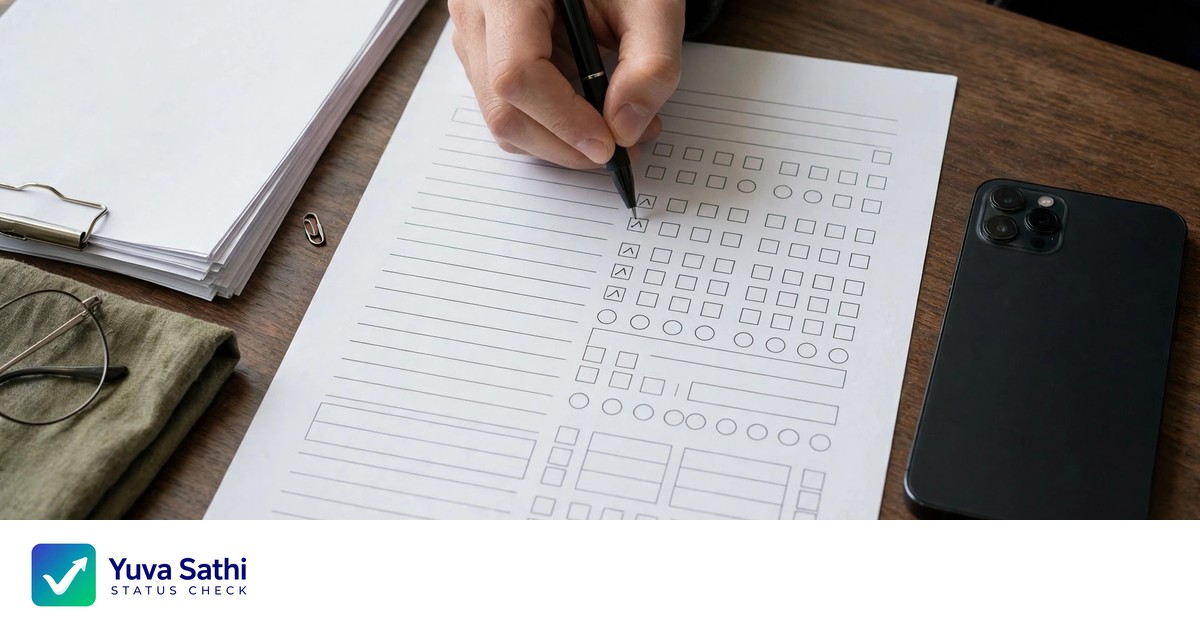
The form was presented as an online application with a downloadable PDF of the layout, which applicants could save, print, and use as a worksheet. It let applicants prepare answers offline (important, given the nightly-only portal hours) and provided a permanent record of the form’s structure and declarations.
No application fee was charged — the form was free to download and submit. Any website or agent demanding payment for the form, “priority submission,” or filling assistance was not genuine.
The Form’s Structure: What Sections It Contained
The form was organised into clear sections, each collecting a specific category of information — which explains why so many applications stumbled on the same few fields.
Section 1: Personal Details
This section collected the applicant’s core identity information:
- Full name — to be entered exactly as it appeared on the Aadhaar card, including the exact spelling and the order of first, middle, and last names.
- Date of birth — in DD/MM/YYYY format, matching the Aadhaar record and the Madhyamik certificate.
- Gender — as per official records.
- Father’s or guardian’s name — used as a secondary identity cross-check.
- Mobile number — the applicant’s own active number, used for OTP verification and all future communication about the application.
- Email address — optional in some versions of the form, but recommended for receiving acknowledgements.
Section 2: Address and Domicile
This section established the West Bengal domicile condition:
- Permanent address — house number, street, village or town, block or municipality, district, and PIN code.
- Duration of residence — how long the applicant had lived at the stated address.
- Domicile proof type — the applicant indicated which document (voter ID, domicile certificate, ration card, or other accepted proof) supported the West Bengal residence claim.
Section 3: Educational Qualifications
This section verified the Madhyamik-or-equivalent condition:
- Highest qualification — with the minimum acceptable being Madhyamik (Class 10) pass or equivalent.
- Board or university — the name of the board that issued the qualification (for example, WBBSE, CBSE, ICSE, or an open schooling board).
- Year of passing — the calendar year in which the examination was cleared.
- Roll number and registration details — as printed on the mark sheet or certificate, used for verification against board records where available.
Section 4: Employment Status Declaration
This was the heart of the form — the unemployment declaration:
- Current employment status — the applicant declared whether they were employed, self-employed, or unemployed.
- Nature of unemployment — where applicable, the form captured how long the applicant had been without work.
- Declaration of no income — the applicant confirmed they were not drawing a salary, wage, or professional income.
- Undertaking — a formal statement that the information provided was true, with an understanding that false declaration would lead to cancellation and possible recovery of any benefits paid.
Section 5: Bank Account Details
Since the ₹1,500 monthly allowance was to be paid by Direct Benefit Transfer, this section collected:
- Account holder name — matching the applicant’s name exactly.
- Bank name and branch — the full name of the bank and the branch where the account was held.
- Account number — entered twice in some versions of the form, to catch typing errors.
- IFSC code — the 11-character branch identifier, critical for electronic transfers.
- Aadhaar seeding confirmation — the applicant confirmed the account was Aadhaar-seeded for DBT (not merely KYC-updated at the branch).
Section 6: Other-Allowance Declaration
This section addressed the fifth eligibility condition:
- Declaration of no other social security coverage — the applicant confirmed they were not covered under any other social security scheme.
- Declaration of no other state allowance — the applicant confirmed they were not receiving another West Bengal government allowance.
- Scholarship disclosure — applicants receiving scholarships disclosed them here; as the announced framework explicitly excluded scholarships from the disqualifying category, this disclosure was for transparency, not disqualification.
Section 7: Document Uploads
The final section of the form handled the supporting documents. Each document had to be uploaded in the specified format and within strict size limits:
- Photograph — recent passport-size, JPG or PNG format, maximum 50 KB.
- Signature — scanned signature on plain paper, JPG or PNG format, maximum 50 KB.
- Aadhaar card — scanned copy, PDF format, maximum 300 KB.
- Madhyamik certificate or mark sheet — scanned copy, PDF format, maximum 300 KB.
- Domicile or residence proof — scanned copy, PDF format, maximum 300 KB.
- Bank passbook first page — scanned copy, PDF format, maximum 300 KB.
How Each Section Was Meant to Be Filled
The golden rule, repeated by every guidance note during the window: every entry must match across the form and the uploaded documents. A name spelt one way on the form and another way on Aadhaar was not a minor typo — it was a verification failure.
Name fields deserved the most care — compound surnames, initials, and titles caused the most trouble. Copy the name character-for-character from the Aadhaar card, including spaces and capitalisation. If Aadhaar itself contained an error, correct the Aadhaar record first; “fixing” the spelling on the form only created a mismatch.
Date of birth had to be entered in DD/MM/YYYY format, matching the Aadhaar record; conflicting documents needed correction at the source.
Bank details were where a single wrong digit cost the most. Copy the account number and IFSC directly from the passbook — never from memory — and re-enter while looking at the passbook a second time. The Aadhaar-seeding confirmation was not a formality: payments travelled through the Aadhaar-based payment system, and an account merely “linked” in the bank’s records, without NPCI seeding, could not receive the DBT credit.
The declarations (unemployment, no other allowance) were legal statements, not casual checkboxes — false declarations could lead to cancellation and recovery of amounts paid. Applicants uncertain about their employment status were safest resolving the uncertainty before submitting rather than after.
Upload Limits and Technical Requirements
The upload section caused a disproportionate share of rejections, mostly avoidable:
- Photograph and signature: JPG or PNG only, maximum 50 KB each. The most common failure was uploading a full-resolution phone photo (several MB), rejected outright — resize or compress before uploading.
- Document scans: PDF only, maximum 300 KB each. Scan in black-and-white or greyscale at 150 DPI to stay under the limit while remaining legible.
- Legibility: Blurred, cropped, or partially obscured scans were rejected at manual review. Every scan had to show the complete document — all four edges, all text readable.
Applicants who prepared scans in advance — in daytime, before the nightly portal hours — reported far fewer problems than those who rushed everything in one late-night session.
The Filling Mistakes That Caused the Most Rejections
Looking back at the registration window, the same handful of errors accounted for the majority of rejected or stalled applications:
- Name mismatches between the form and the Aadhaar card — the single most common defect.
- Oversized uploads — photos and scans that exceeded the 50 KB / 300 KB limits, rejected automatically.
- Illegible scans — blurred or cropped documents that passed the size check but failed manual review.
- Wrong bank details — transposed digits in the account number or an incorrect IFSC code, often typed from memory instead of copied from the passbook.
- Unseeded bank accounts — accounts that were KYC-complete but not Aadhaar-seeded for DBT, which would have blocked every future payment.
- Contradictory declarations — unemployment declarations that conflicted with employment records found during cross-checks.
- Missing domicile proof — address sections filled in but no supporting document uploaded, or documents carrying non-West Bengal addresses.
- Last-minute submission errors — applications submitted in the final hours of the window with no time left to correct defects the system flagged.
What to Do With the Yuva Sathi Form PDF Now
With the window closed on 26 February 2026, the form PDF is a reference document, not a live application. If you applied, compare your submitted entries against your documents — the fastest way to spot a mismatch holding up your application. If preparing for a future window, use the form’s structure as your study guide: correct your Aadhaar record, Aadhaar-seed your bank account, and prepare scans to the exact size limits.
Frequently Asked Questions
Where can I download the Yuva Sathi form PDF?
During the window, the form was available through the official West Bengal government portal for the scheme. The window is now closed; the PDF remains useful as a reference for reviewing submitted applications or preparing for any future window.
What documents did the form require?
Aadhaar card, Madhyamik certificate or mark sheet, domicile or residence proof, bank passbook first page, a passport-size photograph, and a scanned signature — each within the specified format and size limits.
What were the upload size limits?
Photograph and signature: JPG or PNG, maximum 50 KB each. Document scans (Aadhaar, certificate, domicile proof, passbook): PDF, maximum 300 KB each.
Could the form be submitted offline?
No. Registration ran online only, through the official portal, during the nightly hours of 7:00 PM to 9:00 AM from 15 to 26 February 2026.
Was there any application fee?
No. The form was free to download and free to submit. Any demand for payment in the form’s name was fraudulent.
What was the most common reason for form rejection?
Name mismatches between the form entries and the Aadhaar card, followed by oversized or illegible uploads and incorrect bank details.
Can I still apply now?
No. The registration window closed on 26 February 2026 and has not been reopened. This guide is for reference only.
Conclusion
The yuva sathi form pdf was never the hard part — the discipline behind it was: matching every entry to the documents, respecting the upload limits, treating declarations as legal statements. Most rejections traced back to avoidable errors, not unfair rules. Whether reviewing a submitted application or preparing for a future window, the lesson is the same: prepare documents in daylight, fill the form with passbook and Aadhaar physically in front of you, and never submit in the last hour.
Disclaimer: This is an independent informational guide, not a government portal. Scheme details can change, so confirm current details through official government channels before acting.
